Key takeaways
- ERP runs the plant CRM runs the customer. ERP covers production, inventory and finance; CRM covers leads, quotes and service.
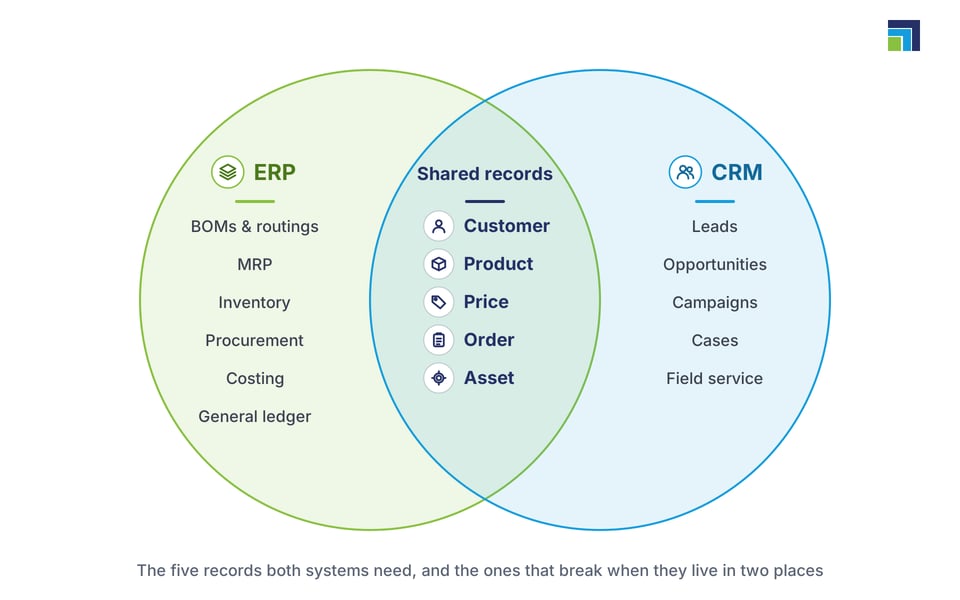
- They overlap on the data that matters most — customer, product, price, order and asset records that both systems need to be right.
- For manufacturers,
ERP and CRM solve two sides of the same coin on which a business runs. ERP runs what happens inside the plant. This includes production, inventory, procurement, finance, etc. On the other hand, CRM runs what happens with the customer. This can be related to leads, quotes, orders, service, and so on.
Most companies can survive keeping the two separate. But for manufacturers, it costs money every day under the table. A sales rep quotes a configured product without live BOM cost or available-to-promise stock, and the margin is wrong even before the order is placed. A customer calls about a delivery, and nobody in sales knows where it actually is. A service engineer opens a case but has no clarity on its batch or serial history.
None of that is a CRM problem or an ERP problem. It's simply a data problem. This means there are two different systems holding two versions of the same customer, product, and price information.
ERP vs CRM: the short answer
ERP (Enterprise Resource Planning) manages internal operations; manufacturing, inventory, supply chain and finance. CRM (Customer Relationship Management) manages external relationships; marketing, sales, quoting and customer service. ERP reduces cost and complexity; CRM grows revenue. Most manufacturers need both and get the most value when both run on a single shared data model.
Why Manufacturers Need CRM and ERP on One Data Model
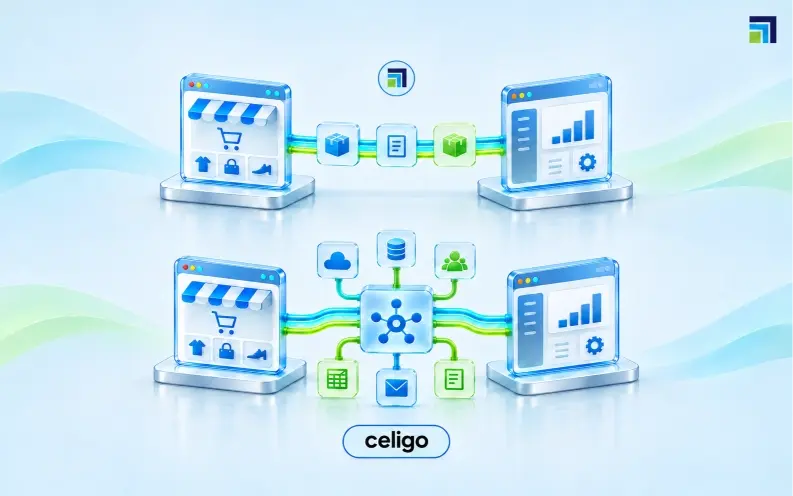
A shared data model means those five records exist only once. One customer record, not a CRM account and an ERP customer account that someone reconciles every now and then. One product record, carrying the same item number, the same BOM, and the same cost whether a planner or a sales rep is looking at it. One price, one order, one asset history.
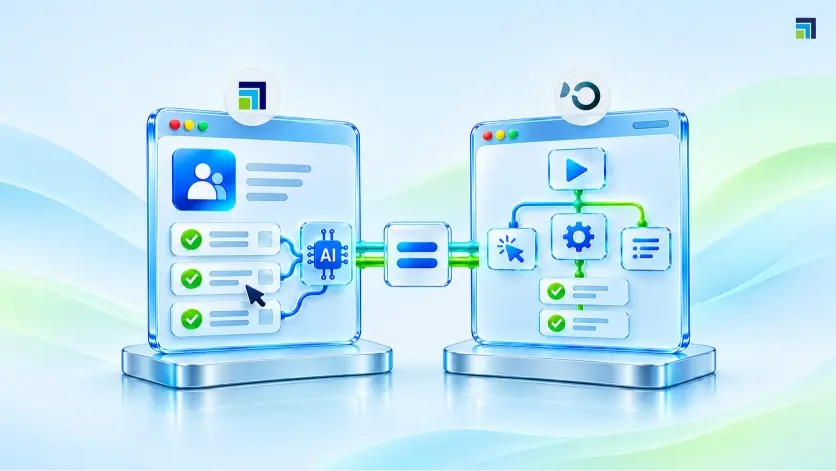
Sales, Customer Service and Field Service run on Dataverse and the common data model, Microsoft's shared data platform. It is Microsoft’s shared data platform. Finance and Supply Chain Management run on their own operational database, and dual-write keeps the two synchronized in near real time. That means customers, products, prices, quotes, orders, and invoices move in both directions automatically. That too, without a custom integration layer to build and maintain.
The practical effect is that a quote raised in Sales can read live item cost and available-to-promise stock from Supply Chain. An order confirmed in Finance shows up against the customer record the sales team is already looking at. A service case opens with the batch and serial history of what was actually shipped.
What happens without it:
- Duplicate customers. The same account exists twice with different names, different addresses, and different credit terms. Thus, nobody is sure which one is right.
- Stale prices. CRM quotes from a price list that ERP updated three weeks ago. Margin leaks quietly on every deal.
- Quotes that ignore capacity. Sales promises a four-week lead time that production can’t meet, because the quote never saw the schedule.
- Reporting that doesn’t reconcile. Sales reports pipeline and finance reports revenue. Both of them never match, so leadership stops trusting both.
None of these are integration bugs. They’re the predictable result of two systems. And both of them have their own version of the truth. A global specialty materials manufacturer unified F&SCM, Customer Engagement and Microsoft Fabric on a single model across its worldwide operations.

Get a free ERP–CRM data model assessment for your plant
4 Manufacturing Processes That Only Work on a Shared Data Model
The argument for a single data model stops being theoretical in four places. These are the processes manufacturers run every day. Let's discover how an integrated ERP and CRM is a win-win for them.
1. Quote-to-cash on Configured Products
Every configured quote is a small commitment. It reflects what the product will actually cost and when it can be shipped. With a shared model, sales reps don't have to guess. As the configuration is built, the quote pulls current item costs and available-to-promise stock. This means the margin is clear before the quote is sent, and the delivery date reflects a timeline that production has actually agreed to.
CPQ for Dynamics 365 handles the configuration logic. And the ERP side supplies the numbers underneath it. For engineer-to-order manufacturers, where every quote is effectively a new product, this is the difference between quoting in days and quoting in weeks.
See it in practice: A global laboratory automation manufacturer put project lifecycle, production and finance on one D365 Finance & Supply Chain framework. Every engineering milestone and production event posts once, with no manual reconciliation. → Read the story
2. Order Status the Sales Team Can Answer
When a customer calls to check on an order, the account manager should be able to provide an answer without having to contact another team. With a shared model, order, shipment, and invoice details are available within the same customer record the account manager already uses. This gives them the information they need to respond during the call instead of promising to follow up later.
It may seem like a small improvement, but across hundreds of orders each month, it makes a real difference. Sales teams can take ownership of customer conversations, resolve queries faster, and spend less time forwarding emails to the operations team.
See it in practice: A global environmental science company built a new technology landscape after a corporate carve-out; D365 Customer Engagement and Finance & Supply Chain on dual-write, across 25+ legal entities and 100+ countries. → Read the story
3. Service Cases with Full Batch and Serial History
A quality query is only as fast as the traceability behind it. When the case opens with the batch, the production run, the quality results and the list of other customers who received the same lot already attached, service answers the question properly the first time.
In regulated manufacturing, that same join is also the audit trail which is why quality control and traceability can’t be a CRM feature bolted on afterwards.
See it in practice: A global surgical consumables manufacturer rebuilt batch traceability inside D365 Advanced Warehouse Management, meeting medical device regulatory requirements. It replaced its legacy WMS middleware entirely. → Read the story
4. Dealer and customer portals that actually get used
A portal is a shared data model made visible to the outside world. Dealers want pricing, ordering, stock and service requests in one login; four things that live on both sides of the ERP/CRM line. Built over one model, the portal is a view onto records that already exist, which is why it ships in months rather than becoming a permanent integration project.
This matters most where the installed base drives revenue, as it does across engineer-to-order manufacturing.
See it in practice: An industrial environmental equipment manufacturer opened a portal to 150+ customer organizations, where live D365 stock and trade pricing turn into Sales Orders through dual-write. Order intake used to run on phone, fax and email. → Read the story
ERP VS CRM Difference – The Features
|
ERP features |
CRM features |
|
Bill of materials and routings |
Lead and opportunity management |
|
Material requirements planning (MRP) |
Configure, price, quote (CPQ) |
|
Production scheduling and capacity |
Quote and order management |
|
Inventory and warehouse management |
Service case management |
|
Procurement and vendor management |
Field service and work orders |
|
Quality control and batch traceability |
Dealer and customer portals |
|
Product costing and margin analysis |
Campaign management and segmentation |
|
General ledger and financial reporting |
Customer and contact history |
ERP VS CRM – Price & Licensing Cost
Dynamics 365 is licensed per user, per app. Each user needs a base license for their primary app and can add attach licenses for additional apps at a lower rate. So, a finance user working in Supply Chain Management and a sales rep working in Sales are licensed differently, and someone who needs both doesn’t pay full price twice.
ERP applications generally carry a higher per-user cost than CRM applications, simply because they cover more of the business. But license cost rarely decides an ERP or CRM budget. Implementation, data migration, integration and change management usually outweigh subscription cost in year one, and a split ERP/CRM landscape carries a running integration cost that a unified one doesn’t.
Microsoft updates list pricing regularly, so check current Dynamics 365 pricing directly rather than relying on figures quoted elsewhere.
Separate vs Unified ERP and CRM: Pros and Cons
Running them separately
- Best-of-breed choice in each category, and the ability to replace one without touching the other
- Lower initial commitment if one system is already working well
- A permanent integration to build, pay for and maintain
- Duplicate master data, and an ongoing argument about which system owns the customer
- One customer, product and price record, so quotes, orders and cases agree by default
- Faster quote-to-cash, and reporting that reconciles across sales and finance
- Shared security, identity and analytics layer
- A larger initial program, and a deeper commitment to one vendor’s platform
Running them on one data model
There’s no universally right answer. But for manufacturers, the processes that generate margin; quoting, fulfilment, and service, all cross the ERP/CRM line, which is why the integration question usually decides more than the feature comparison does
Dynamics 365 vs SAP S/4HANA Cloud: How Each Handles CRM and ERP
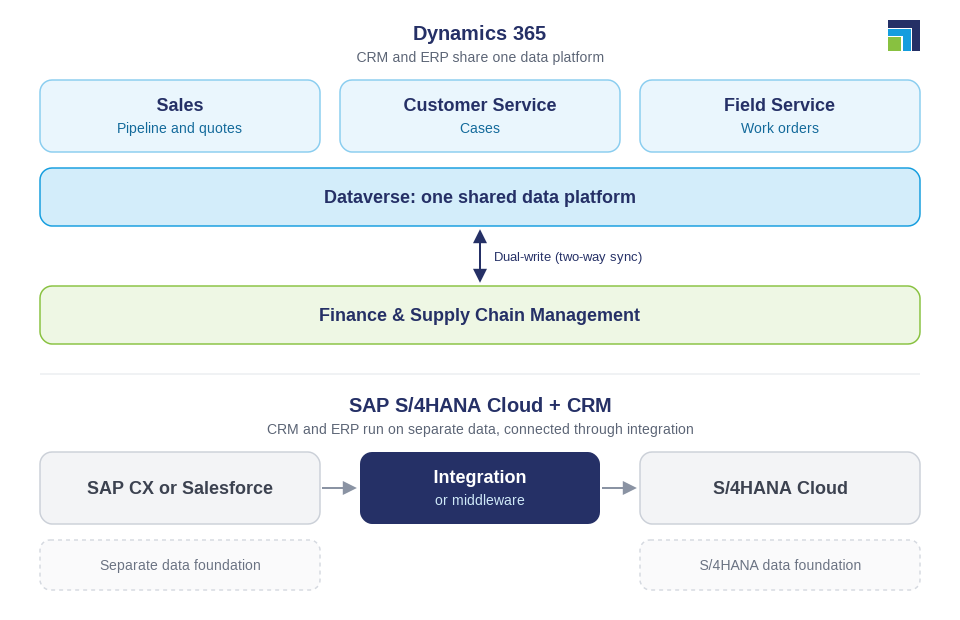
Both can run a manufacturer’s ERP and CRM. The difference is where the shared data lives.
Dynamics 365 puts Sales, Customer Service and Field Service on Dataverse, and connects them to Finance & Supply Chain Management through dual-write; the customer, product and price records sync as platform behavior. SAP pairs S/4HANA Cloud with SAP Sales Cloud or, very often, Salesforce. Those sit on separate data foundations, joined through SAP’s Integration Suite or third-party middleware.
|
|
Dynamics 365 |
S/4HANA Cloud + CRM |
|
Shared data |
Dataverse, dual-write to F&SCM |
Separate foundations, joined by integration |
|
Licensing |
Per user, per app, base plus attach |
ERP and CRM licensed separately |
|
Strongest for |
One customer record across sales, service and operations |
Process manufacturing depth and multinational scale |
|
Trade-off |
Fewer pre-built vertical templates |
Integration is a workstream you own |
SAP’s depth in process manufacturing and large global estates is real. Microsoft’s case is strongest for mid-market manufacturers who want sales, service and operations on one record without funding a permanent integration layer.
Read the full Dynamics 365 vs SAP comparison for growing manufacturers →
ERP, CRM or Both? A Decision Guide for Manufacturers
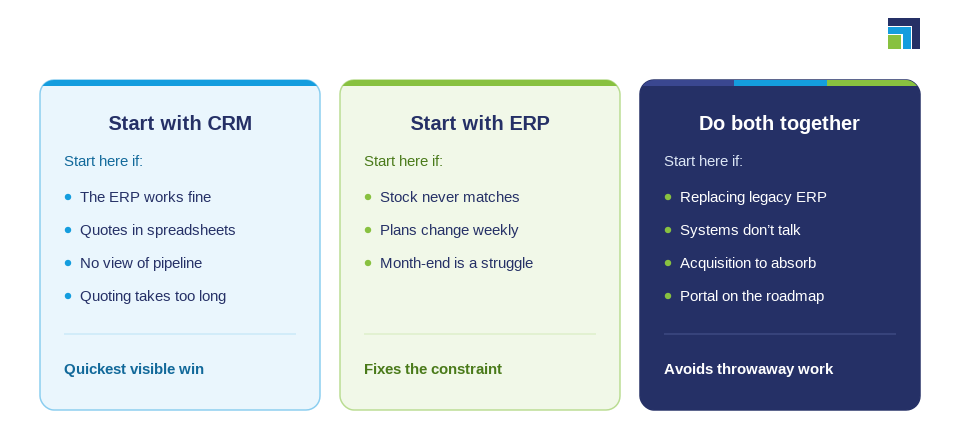
Start with CRM if: Your ERP is working, but your sales team still manages leads and quotes in spreadsheets. Managers have little visibility into ongoing deals, and preparing quotes takes longer than it should. In this case, CRM is probably where you need to start.
Start with ERP if: Inventory numbers rarely match what's on the shop floor, production plans keep changing, or closing the books is a struggle. These problems need attention at the operational level. A CRM won't fix them.
Do both together if: An ERP replacement is already on the cards, sales and operations rely on systems that don't communicate, or you're bringing another business into your existing setup. The same applies when a new customer or dealer portal is planned. Getting ERP and CRM aligned from the beginning can save a lot of integration work later. Our ERP and CRM consulting team can help map your customer, product and order data before you choose a platform.
Before making a decision, settle one thing: where will your customer, product, and order data be maintained? Sorting this out early is much easier than fixing conflicting records once both systems are running.
Wrapping Up
ERP and CRM answer two different questions. Can we make it, and what does it cost? Who wants it, and what did we promise them? Most manufacturers need both answered, and need them answered against the same customer, the same product and the same price.
That’s the real decision. Not ERP or CRM, but whether they run as one system of record or two that someone spends their week reconciling.
Book A 30-minute Consultation!
We’ll map your current ERP and CRM data flows and show you where the duplicates are.
ERP vs CRM: Frequently Asked Questions